# WorkSpaces (EC2)
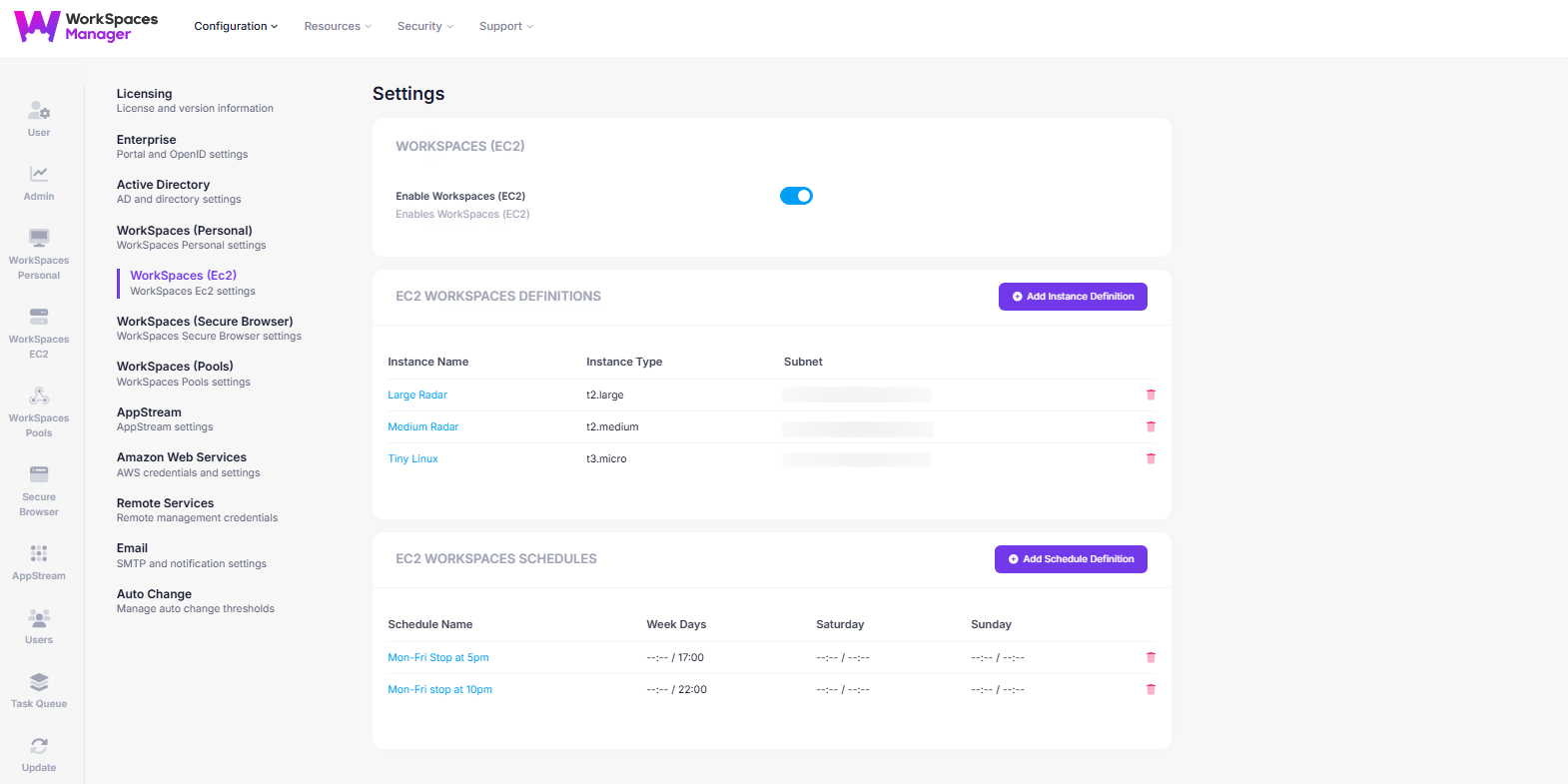
The **WorkSpaces (EC2)** settings page allows administrators to enable and manage EC2 backed WorkSpaces.
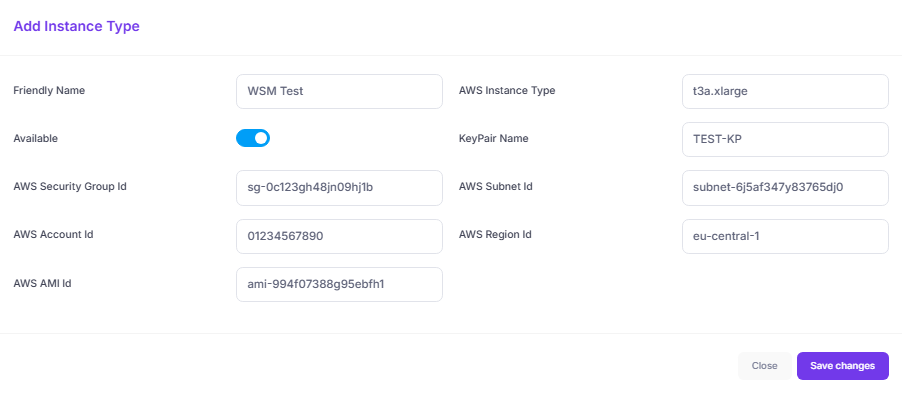
To configure a WorkSpaces EC2 instance, click on **Add Instance Definitions**. This takes you to the page where you can enter all the required details for your EC2 WorkSpace setup—including:
* **Friendly Name** for easy reference
* **AWS Instance Type** (e.g., `t3a.xlarge`)
* **KeyPair Name**, **AMI ID**, and **Subnet ID**
* **Security Group**, **Account ID**, and **Region**
To manage an EC2 Instance as a WorkSpace it requires a tag: -\
\
Tag Name = WSM-Managed\
Tag Value = true
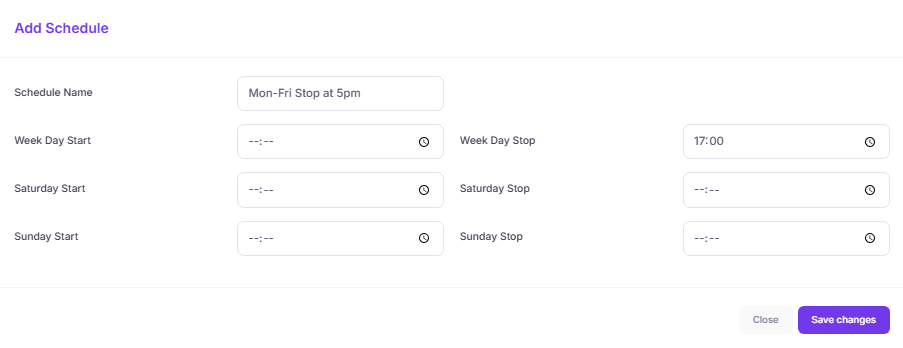
The **Add Schedule Definition** feature allows administrators to define automatic start and stop times for the EC2-based WorkSpaces, helping to optimize cost and resource usage. You can create custom schedules by setting stop and start times for weekdays, Saturday, and Sunday individually.
For example, a schedule like "Mon–Fri Stop at 5pm" ensures that EC2 WorkSpaces are shut down at the end of the workday—reducing compute costs without requiring manual intervention.