# Licensing

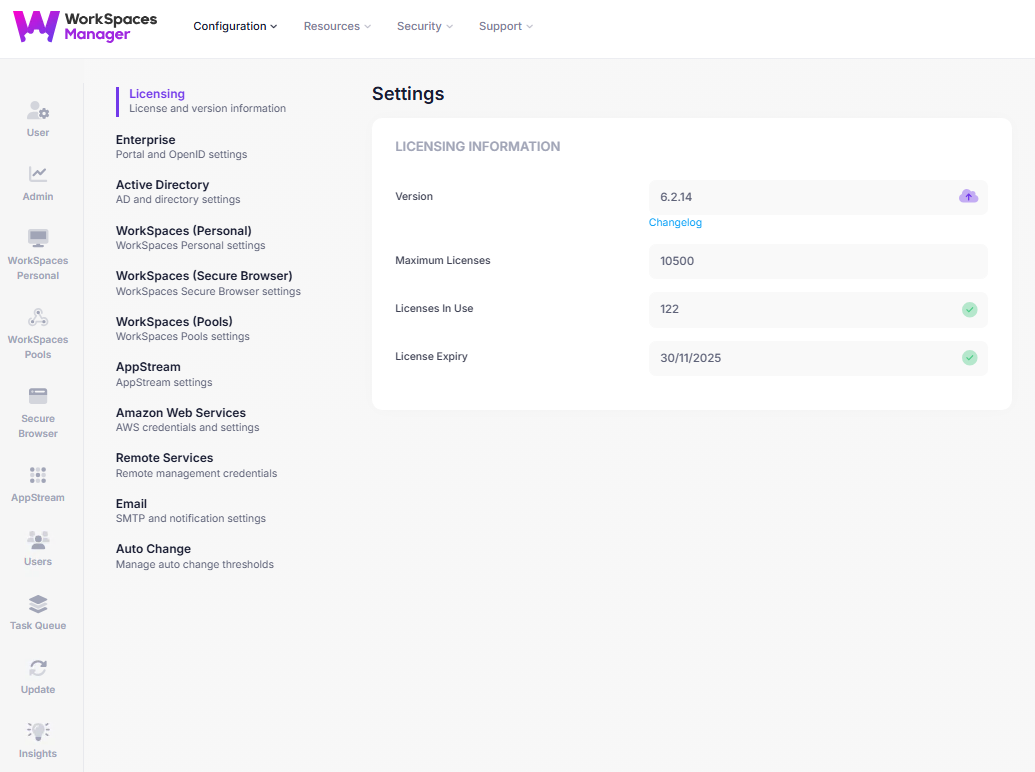
In this section you will be able to view your WorkSpaces Manager Licensing information which consists of the following:

* Version
* Maximum Licenses
* Licenses In Use
* License Expiry

<figure><img src="https://2854239078-files.gitbook.io/~/files/v0/b/gitbook-x-prod.appspot.com/o/spaces%2FxEJOGCAr5O8d9q95spJy%2Fuploads%2FMCbFKOGk588d4Lr3nUHC%2FScreenshot%202025-10-31%20114300.png?alt=media&#x26;token=93dce09f-2ca1-401b-a1f9-1a7a52bdf1f8" alt=""><figcaption></figcaption></figure>

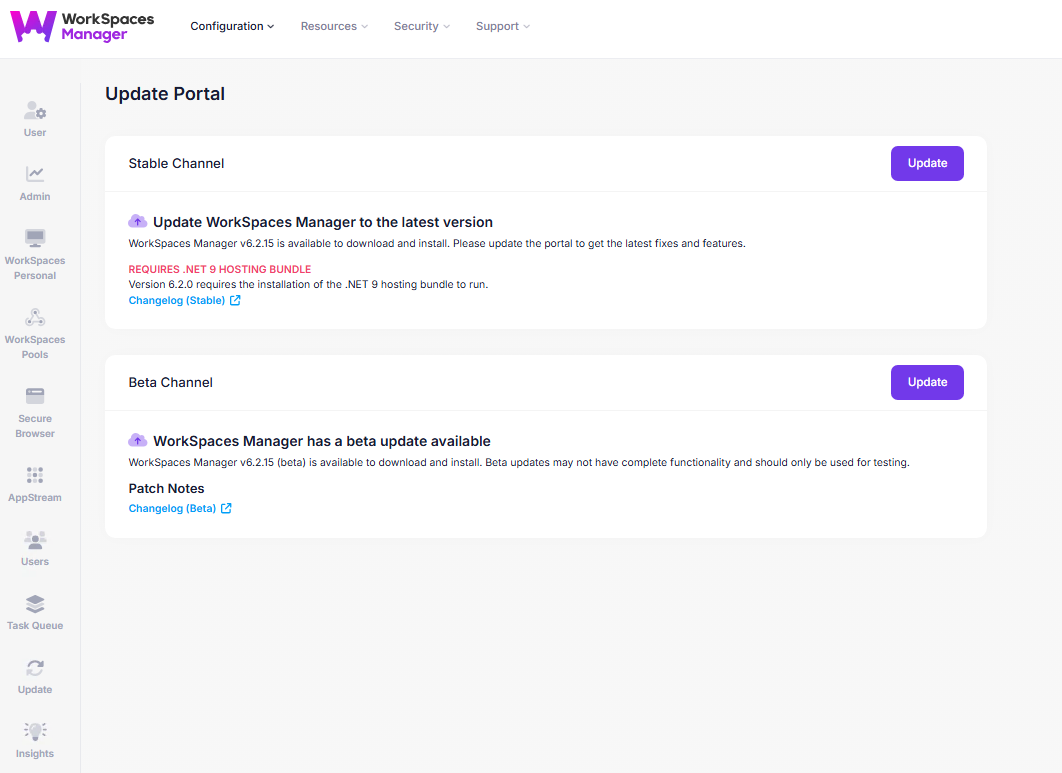
If an upgrade is available, an upgrade icon will appear. Clicking on it will take you to the update page, where you can download and install the latest version of WorkSpaces Manager.&#x20;

<figure><img src="https://2854239078-files.gitbook.io/~/files/v0/b/gitbook-x-prod.appspot.com/o/spaces%2FxEJOGCAr5O8d9q95spJy%2Fuploads%2FUUEkFHlcCJVzEnSGFDvE%2FScreenshot%202025-10-31%20114411.png?alt=media&#x26;token=931e50df-79de-43fd-aca6-f12c9dc40b9a" alt=""><figcaption></figcaption></figure>